
Sharing your experience with Pairaphrase on G2 helps other organizations understand what it’s like to use the platform. Reviews should reflect your own first-hand experience with Pairaphrase. If you would not give us the highest score, let us know so we can address any issues you may have.
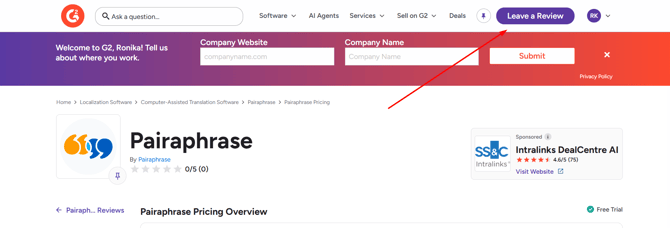
Step 1: Open the Pairaphrase G2 Page
Go to the Pairaphrase page on G2:
https://www.g2.com/products/pairaphrase/reviews#reviews
Sign in to G2 or create a profile using your professional email address.
Then select Leave a Review.
Step 2: Choose How You Want to Submit Your Review
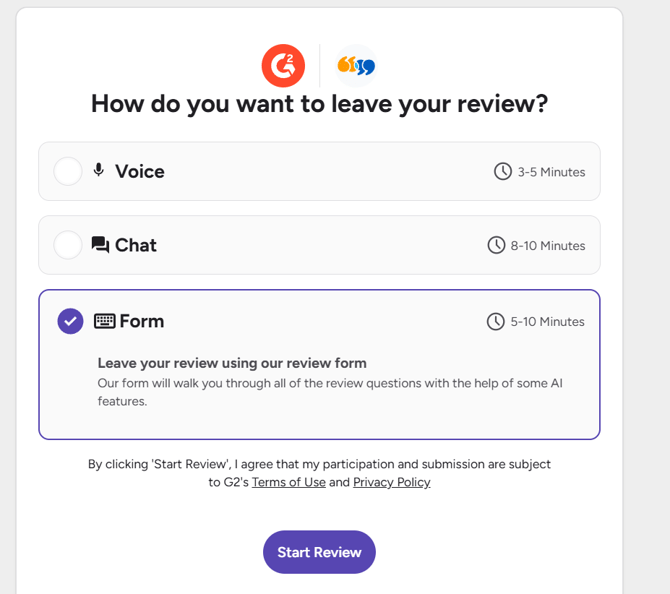
G2 may give you several ways to complete your review:
- Voice
- Chat
- Form
The Voice and Chat options can make the process quicker by using G2’s AI-assisted review experience.
Voice
If you select Voice:
- Allow access to your camera and microphone when prompted.
- Answer the questions asked by the G2 AI agent.
- G2 will generate written responses based on your answers.
- Review and edit the generated responses as needed.
- Continue through the remaining questions and submit your review.
Chat
If you select Chat:
- Answer the questions from the G2 AI assistant.
- G2 will create draft responses based on your answers.
- Review the generated responses.
- Edit anything you would like to change.
- Complete the remaining information and submit your review.
Step 3: Complete the Review Form
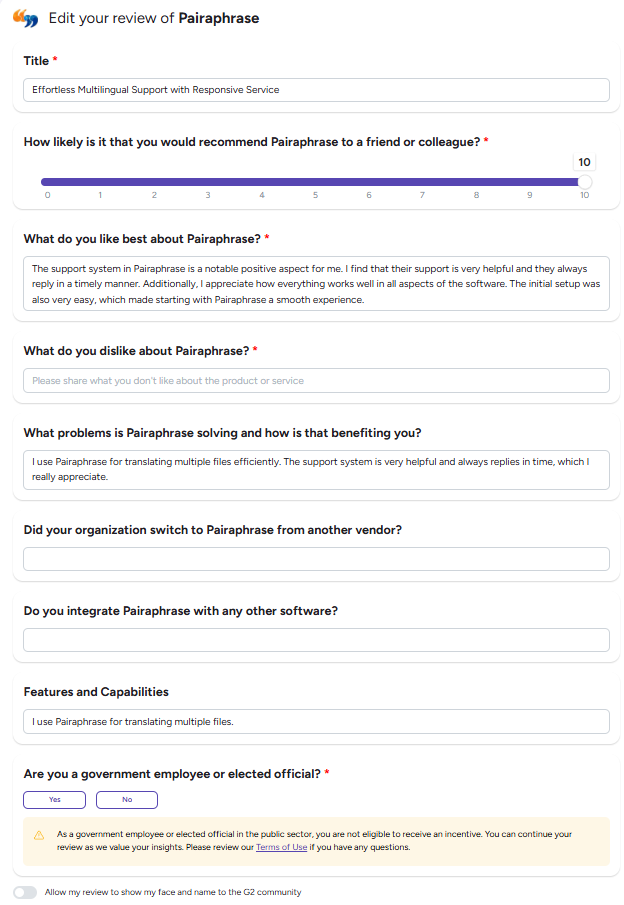
If you choose the Form option, G2 will guide you through a series of questions about your experience with Pairaphrase.
Depending on the questions presented, you may be asked to:
- Rate how likely you are to recommend Pairaphrase.
- Describe what you like about Pairaphrase.
- Explain what problems Pairaphrase helps you solve and how it benefits your organization.
- Add a title for your review.
- Select the Pairaphrase features you commonly use.
- Rate areas such as ease of use, setup, administration, and how well the product meets your requirements.
- Indicate whether you are a current Pairaphrase user.
- Provide information about your role, organization, and experience with the platform.
- Indicate whether your organization switched to Pairaphrase from another solution.
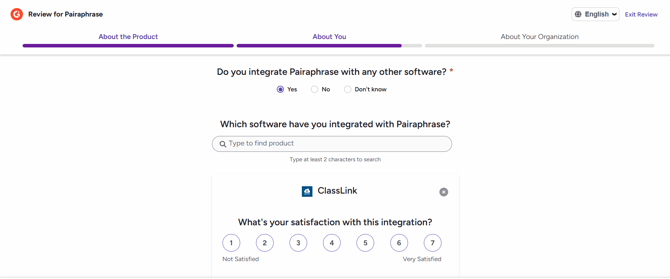
- Provide information about any software you integrate with Pairaphrase.
- Answer questions about your use of AI features, where applicable.
Please answer each question based on your own experience using Pairaphrase.
Step 4: Confirm You Are a Pairaphrase User
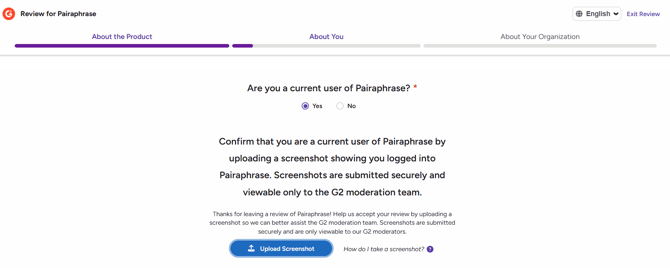
G2 may ask you to confirm that you currently use Pairaphrase.
If requested, upload a screenshot showing that you are logged in to your Pairaphrase account. The screenshot is used by G2 as part of its review verification process.
Step 5: Add Your Professional Information
Complete the requested information about you and your organization.
This may include:
- Your primary role when using Pairaphrase.
- Your job title.
- Your organization size.
- Your level of experience with Pairaphrase.
- How frequently you use Pairaphrase.
- Your industry.
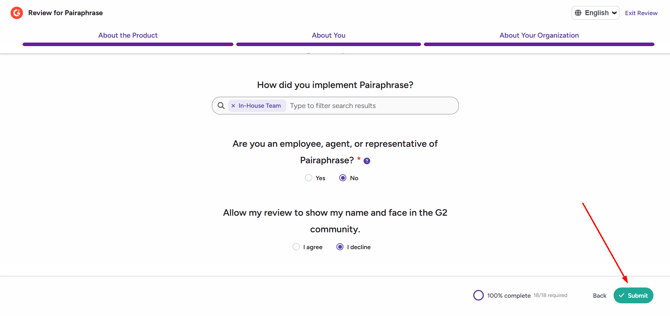
- How Pairaphrase is implemented within your organization.
Complete the fields that G2 requires before continuing.
Step 6: Review and Submit
Before submitting:
- Review your answers for accuracy.
- Edit any AI-generated responses so they accurately reflect your experience.
- Complete all required fields.
- Select Submit when you are ready.
After submission, G2 will review your response before it is published.
Step 7: Complete G2 Verification
G2 may ask you to verify your identity or professional information before approving your review.
If the option is available, you can verify your profile through LinkedIn, which may help speed up G2’s approval process.

Once verification and moderation are complete, G2 will determine whether the review can be published.
Need Help?
If you have questions about submitting your Pairaphrase review on G2, contact the Pairaphrase team and we’ll be happy to help guide you through the process.